Registry
The Registry tab has two sub-tabs, both read-only — nothing is ever written to the registry.
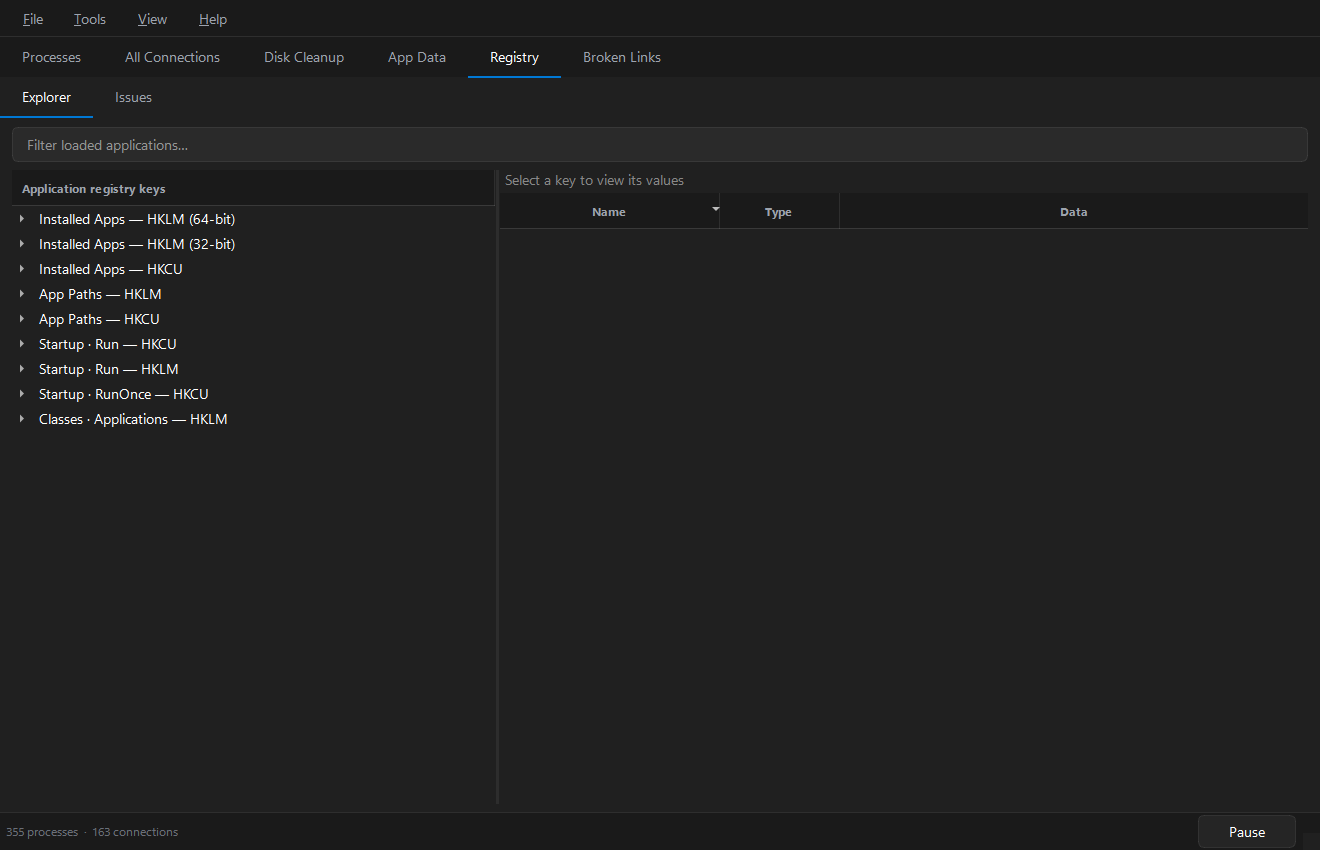
Explorer
A lazily-populated tree of the registry locations where Windows records applications:
- Installed Apps — the Uninstall keys (HKLM 64-bit, HKLM 32-bit, HKCU)
- App Paths — HKLM and HKCU
- Startup —
RunandRunOnce(HKCU and HKLM) - Classes · Applications — HKLM
Expand a category to load its keys (loading is deferred until you expand, so the
tree opens instantly). Select a key to see its values on the right — name, type
and data. A value whose data points at a missing .exe is highlighted in red.
Right-click for:
- Copy registry key path (on a tree node)
- Copy value and Open target in Explorer (on a value)
- Filter loaded applications… narrows the loaded tree entries.
Issues
A scan that flags application registry entries whose target is gone — startup entries, App Paths and uninstall entries pointing at a file that no longer exists.
| Column | Meaning |
|---|---|
| Category | Kind of registry entry |
| Hive | Registry root / view |
| Name | Value or application name |
| Issue | Why this entry is flagged |
| Target | The path the entry points to |
Right-click a result for Copy registry key, Open in Explorer or Copy path.
Removal is deliberately not implemented. If you decide to clean an entry, do it
with regedit at your own risk — a bad edit can prevent programs (or Windows)
from starting. Export a backup of the key first.