Disk Cleanup
The Disk Cleanup tab measures the size of roughly 120 well-known cache and temp locations and recommends how to handle each — all read-only. Nothing is deleted; the app reports sizes so you can decide what to clear yourself.
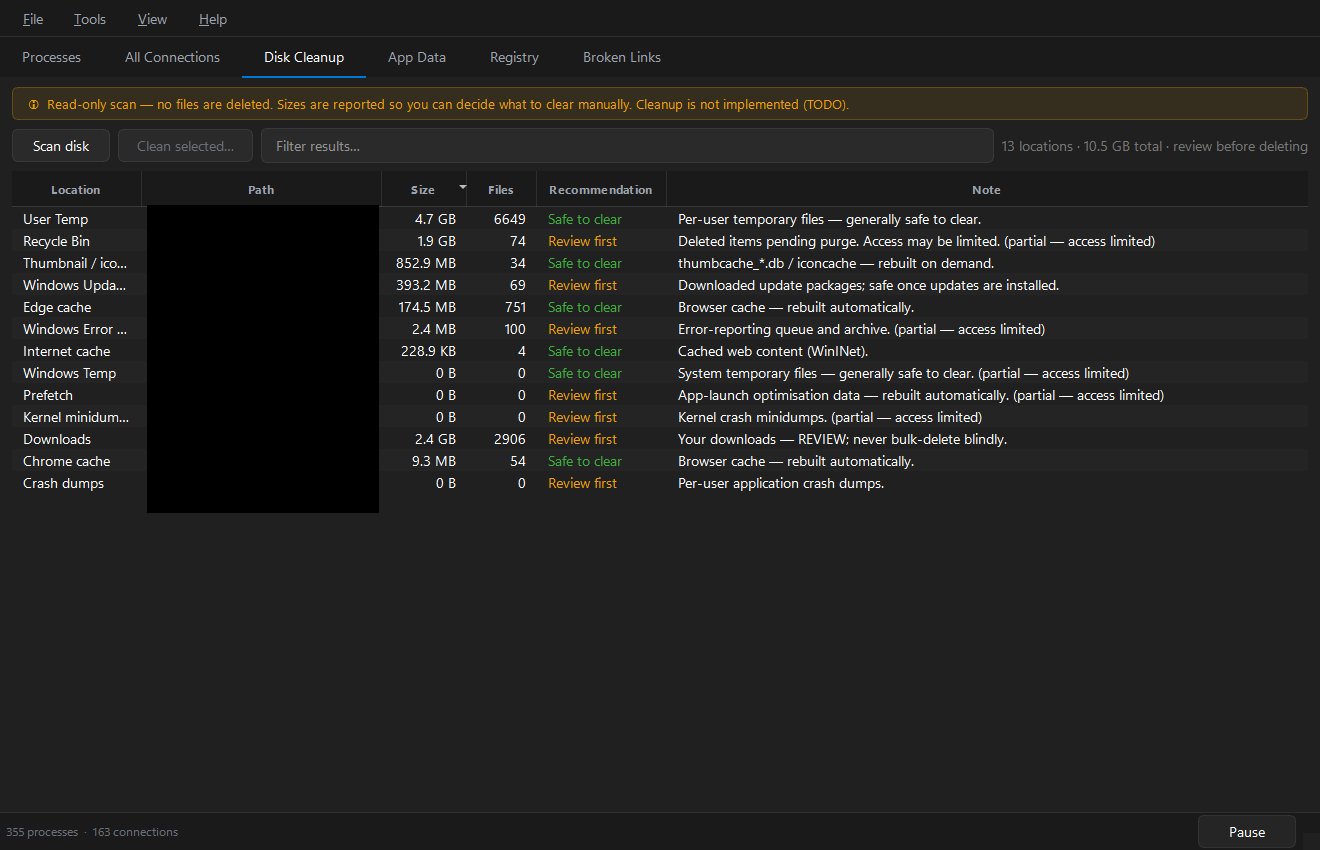
Press Scan disk (or Tools › Scan Disk Cleanup). Results are sorted by size, largest first, and the summary line reports the total.
Columns
| Column | Meaning |
|---|---|
| Location | Friendly name of the cache / temp location |
| Path | Filesystem path |
| Size | Total size on disk (sorts numerically, even above 2 GB) |
| Files | Number of files |
| Recommendation | Safe to clear or Review first |
| Note | What this location holds |
What it covers
The scan spans many categories, for example:
- Windows — Temp, shader caches, Explorer thumbnail/icon caches, Windows Update & servicing leftovers, DISM/Panther logs, crash dumps, LiveKernelReports, DiagTrack telemetry, the hibernation file.
- Browsers — every Chromium-based browser (cache, media, service-worker, Skia shader caches) plus Firefox.
- Communication apps — Teams, Discord, Slack, Signal, Skype, and more.
- Developer caches — pip, npm, uv, Yarn, Poetry, Gradle, NuGet, Cargo, Go, Deno, Playwright, Cypress, WinGet, VS Code logs.
- Game launchers — Steam, Epic, Battle.net.
The exact set adapts to what exists on your system — locations that aren't present are skipped.
Recommendations
- Safe to clear — caches that regenerate on demand. Clearing them frees space at the cost of a one-time rebuild (slightly slower next launch).
- Review first — locations that may hold data you want (logs useful for debugging, app state), or where clearing has a real cost. Look before you leap.
Acting on the results
Cleanup is deliberately not implemented — the Clean selected… button is disabled by design. To reclaim space:
- Right-click → Open in Explorer to jump to the folder.
- Review the contents.
- Delete what you're comfortable removing, using Explorer or the built-in Windows Disk Cleanup / Storage Sense.
tip
Sort by Size and start at the top — a handful of locations usually accounts for most of the reclaimable space.